

Table of Contents
You’re Paying Too Much for “Simple” Automation
You started with Zapier because it was easy. Five-minute setup, no server, just connect two apps and go. It felt like magic.
Then your task count hit 1,000. Then 5,000. Then your monthly bill quietly climbed to $49… then $99… then you’re staring at the Zapier pricing page wondering if automation is even worth it anymore.
Sound familiar?
This is one of the most common stories in the no-code community right now. Zapier is genuinely great for beginners — but it has a ceiling. And when you hit that ceiling, you start hearing about n8n everywhere.
But then you look up n8n self-hosting, and suddenly you’re reading about Docker, VPS, Linux commands, and SSL certificates. That feels like trading one problem for a worse one.
So let’s actually settle this: n8n vs Zapier — which is better for advanced automation? And what’s the smartest way to get started with n8n without becoming a sysadmin?
What Are These Tools, Really?
Zapier launched in 2011 and became the gold standard for no-code automation. It works on a simple “Trigger → Action” model, has 6,000+ app integrations, and is designed to be used without any technical knowledge whatsoever.
n8n (pronounced “nodemation”) launched in 2019 with a completely different philosophy — open-source, self-hostable, and built for developers and power users who need full control. But in 2023–2024, n8n’s UI became dramatically more beginner-friendly, which is why non-technical users are now seriously considering it.
These two tools come from fundamentally different worldviews. Zapier says: “We’ll handle everything, just pay us.” n8n says: “Here’s the engine — do whatever you want with it.”
n8n vs Zapier: Head-to-Head Comparison
| Feature | Zapier | n8n |
|---|---|---|
| Pricing Model | Per task (scales fast) | Per workflow run or flat fee |
| Free Plan | 100 tasks/month | Unlimited on self-host |
| Paid Plans | Starts at ~$19.99/mo | Cloud from ~$20/mo; self-host free |
| App Integrations | 6,000+ | 400+ native + custom HTTP/webhooks |
| Custom Code | Very limited | Full JavaScript/Python nodes |
| Branching Logic | Basic (if/then) | Advanced multi-branch, loops, merge |
| Self-Hosting | Not available | Fully open-source |
| Webhooks | Yes | Yes (more flexible) |
| Data Transformation | Limited | Powerful with code nodes |
| White-labeling | No | Yes (self-hosted) |
| Learning Curve | Very easy | Moderate |
| Best For | Simple, quick automations | Complex, high-volume workflows |
The table tells a clear story. Zapier wins on simplicity and app count. n8n wins on everything else — especially once your workflows get complex.
Where Zapier Falls Short for Advanced Users
The Pricing Trap
Zapier’s pricing is task-based. Every time an automation runs, it counts as a task. Send 500 emails through a workflow? That’s 500 tasks. Run a lead enrichment flow 1,000 times a day? You’re burning through your plan instantly.
On Zapier’s Professional plan at $49/month, you get 2,000 tasks. For a small business doing any real volume of automation, that runs out in days. Scaling to 50,000 tasks per month costs around $299/month on Zapier.
With n8n cloud, you pay per active workflow — not per execution. The math changes completely at any meaningful scale.
Multi-Step Logic is Clunky
Zapier does linear automation well. But the moment you need branching logic — “if the customer is from India, do X; if from the US, do Y; otherwise, do Z” — it gets messy fast. Adding parallel branches, loops, and error handling in Zapier feels like building IKEA furniture without the instructions.
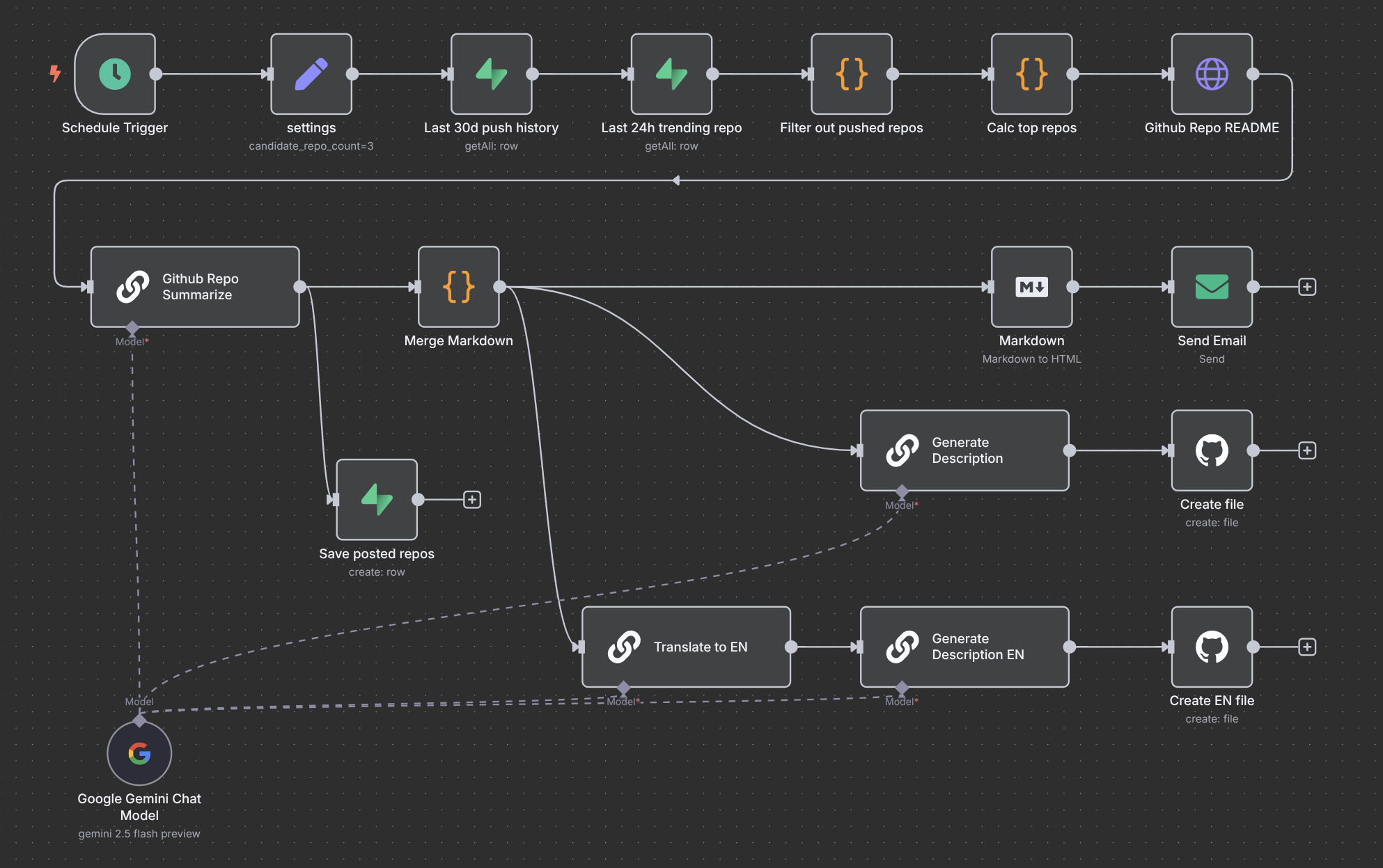
n8n’s canvas-based workflow builder was literally designed for this. You can build visual logic trees with merge nodes, split logic, retry on error, and run code mid-workflow — all in one place.
No Custom Code = No Real Power
Advanced automation almost always needs custom logic at some point. Maybe you need to manipulate a date format, parse a JSON response, or do a calculation before passing data to the next step.
Zapier’s “Code by Zapier” step is so restricted it’s nearly useless for anything serious. n8n gives you real JavaScript and Python nodes, right inside your workflow.
Where n8n Wins (Especially for Power Users)
True Flexibility at the Node Level
Every node in n8n is configurable. You can pass raw JSON, use expressions, write code, or chain multiple API calls in a single node. For anyone building automation for clients, running a SaaS, or processing high data volumes — this is non-negotiable.
The Self-Hosting Advantage
n8n is fully open-source. Self-host it, and your costs don’t scale with usage. Zero task limits. Zero per-execution fees. This is why developers, agencies, and growing SaaS companies are switching from Zapier to n8n in large numbers.
The catch, of course, is that “self-hosting” traditionally means setting up a VPS, installing Docker, configuring environment variables, handling SSL, and maintaining uptime yourself. Most non-technical users stop right here — which is a shame, because the tool is genuinely powerful.
n8n Community Templates
The n8n community is massive and growing. There are thousands of pre-built workflow templates covering everything from CRM automation to AI agents to WhatsApp bots. You can import them with one click and customize from there.
So… What’s the Verdict?
Choose Zapier if:
- You’re automating 2–3 simple workflows
- You have zero interest in ever customizing logic
- App coverage matters more than anything else
Choose n8n if:
- You’re running more than 5 active workflows
- You’re hitting Zapier’s pricing limits
- You need conditional logic, loops, or custom code
- You want full ownership of your automation stack
For advanced automation — and for anyone serious about building scalable systems — n8n is the clear winner. The only real barrier is setup complexity.
The Easiest Way to Start with n8n (No Server Required)
This is where most n8n guides abandon you. They say “just self-host it” and point you to a 2,000-word technical documentation page.
Here’s the honest truth: if you’re a non-technical user, freelancer, or small business owner, you don’t want to manage a server. You just want n8n to work.
That’s exactly what n8n LaunchPad was built for.
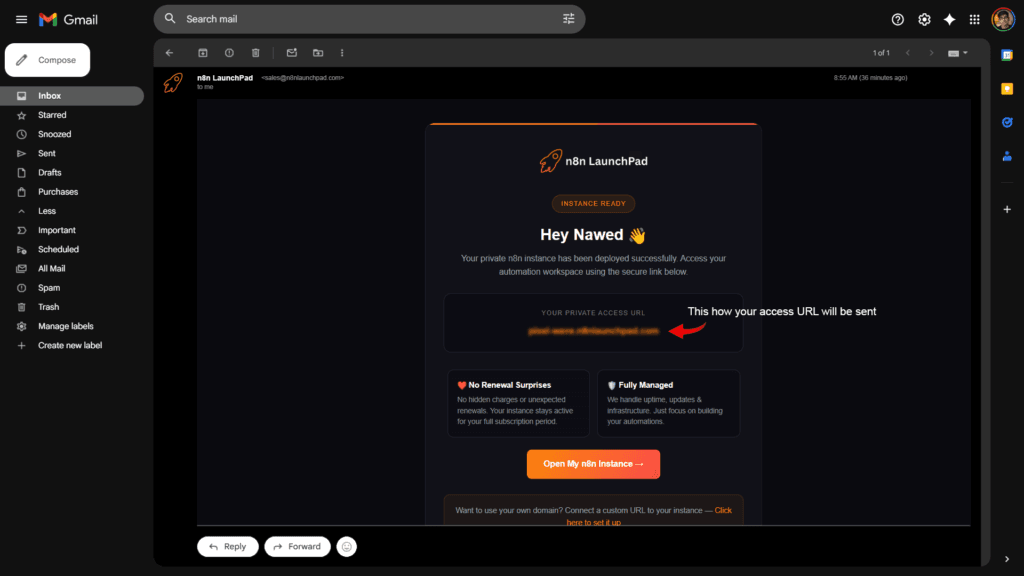
n8n LaunchPad gives you a fully deployed, ready-to-use n8n instance — with no VPS, no Docker, no server configuration required. You sign up, and a working n8n access URL lands in your inbox. That’s it. You go straight to building workflows.
It’s the fastest way to get the full power of n8n without any of the technical overhead. Think of it as the bridge between “I’ve heard about n8n” and “I’m actually using n8n today.”
If you’ve been sitting on the fence about switching from Zapier, n8n LaunchPad removes the last remaining reason not to try it.
Frequently Asked Questions
Is n8n really free?
n8n is open-source and free to self-host. The official n8n cloud has a paid plan. But with n8n LaunchPad, you get a hosted instance ready to go without managing infrastructure yourself — at a cost that’s far more predictable than Zapier.
Does n8n have as many integrations as Zapier?
n8n has 400+ native integrations, while Zapier has 6,000+. However, n8n supports custom HTTP requests and webhooks out of the box, which means you can connect to virtually any API even if there’s no native node. For most use cases, the native integrations are more than enough.
Can a non-technical person use n8n?
Yes — especially now. n8n’s UI has improved significantly. If you can use Zapier, you can learn n8n within a few hours. The drag-and-drop canvas is intuitive, and the community templates make it even easier to get started.
What happens when I hit Zapier’s task limit?
Zapier pauses your automations or charges you overage fees. With n8n (especially self-hosted or via n8n LaunchPad), your workflows keep running regardless of volume — no task counting, no surprise bills.
Is n8n suitable for client work or agencies?
Absolutely. Many automation agencies and freelancers have moved to n8n because it’s more powerful, customizable, and cost-effective to offer clients. You can even white-label n8n on self-hosted setups.
Stop Paying Per Task. Start Building Real Automation.
If you’re doing serious automation work, Zapier will keep costing you more money for less flexibility. n8n gives you the power to build workflows that actually scale — without the per-task billing nightmare.
The only thing standing between you and a fully working n8n setup right now is the technical setup barrier. n8n LaunchPad removes that barrier completely.
Your access URL will be in your inbox within seconds.