
Table of Contents
The Problem Nobody Talks About
You discovered n8n. Watched a few tutorials, got excited about automating your lead follow-ups, syncing your tools, building workflows without writing code. Then came the part they glossed over: actually getting it running.
VPS setup. Docker configuration. Nginx reverse proxy. SSL certificates. Environment variables. And if anything breaks at 2am? That’s your problem.
This quiet barrier stops thousands of non-technical users from ever benefiting from n8n. It’s why the managed n8n hosting vs self-hosting debate actually matters — not just for developers, but for freelancers, agency owners, and operators who just want automation to work.
Let’s cut through the noise.
What Is n8n, and Why Does Hosting Matter?
n8n is an open-source workflow automation tool — think Zapier, but with no per-task pricing, far more flexibility, and the ability to self-host. That last part is both its biggest strength and its most underrated complexity.
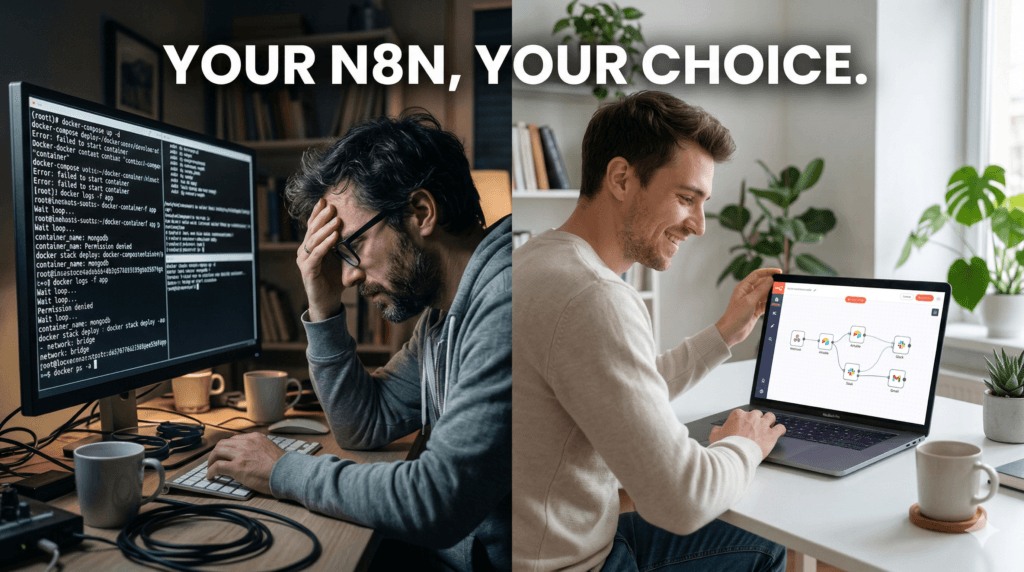
Because n8n is self-hosted by default, you need a server to run it. That server needs to be configured, maintained, secured, and kept online 24/7. For a developer, this is Tuesday. For everyone else, it’s a rabbit hole.
Here’s the core tension: n8n’s power is accessible to non-technical users inside the tool — but getting to that tool requires technical knowledge most non-technical users simply don’t have.
📸 IMAGE HERE: Simple two-path diagram. Path A (self-hosting): VPS → Docker → Terminal → Config Files → n8n Dashboard. Path B (managed): Browser/Email → n8n Dashboard. Clean, minimal infographic style.
Self-Hosting n8n: What It Actually Takes
Let’s be real about what self-hosting involves. This isn’t to scare you — it’s to give you an accurate picture before you invest hours into it.
The Setup Process
- Purchase and configure a VPS (DigitalOcean, Hetzner, Vultr, etc.)
- Install Docker and Docker Compose
- Configure the n8n docker-compose.yml with correct environment variables
- Set up a reverse proxy (usually Nginx) for a clean URL
- Install an SSL certificate (Let’s Encrypt via Certbot)
- Configure your domain’s DNS records
- Set up persistent data volumes so you don’t lose your workflows
- Open the right firewall ports
That’s before you even open n8n for the first time. And once it’s running, you’re still on the hook for everything.
Ongoing Maintenance
- Monitoring server uptime — your automations die if the server goes down
- Manual n8n version updates every few weeks
- Database backups (if your workflow data matters, and it does)
- Debugging cryptic Docker or n8n errors
- Scaling when workflow volume grows
For a developer, manageable. For a freelancer running client automations or a small business owner who wants their CRM talking to their email list — it’s a full-time distraction from actual work.
Managed n8n Hosting: What You Actually Get
Managed hosting means someone else handles the infrastructure, and you get access to your n8n instance — ready to use, already secured, already running.
The value isn’t just convenience. It’s time. Every hour you’re not debugging Docker is an hour you’re building workflows, serving clients, or growing your business.
What managed hosting typically includes:
- Pre-deployed n8n instance — zero setup
- Automatic updates and security patches
- Daily or automated backups
- Uptime monitoring and reliability
- A working URL to access your dashboard from day one
- Support when something breaks — you didn’t break it, they fix it
Managed n8n Hosting vs Self-Hosting: Full Comparison
| Factor | Self-Hosting (Hostinger, DO) | Managed Hosting (n8n LaunchPad) |
|---|---|---|
| Setup Time | 4–12 hours (first time) | Under 5 minutes |
| Technical Skill Required | Linux, Docker, Nginx, DNS | None |
| Monthly Cost | VPS fees + your time | Fixed, predictable pricing |
| Uptime Responsibility | You | Provider |
| Updates | Manual | Automatic |
| Backups | You configure it | Included |
| Scaling | You manage it | Handled for you |
| Custom Domain | You set it up | Just submit a form. |
| Support | Community / Stack Overflow | 24/7 Support via WA or Email |
| Best For | Developers, DevOps teams | Freelancers, SMBs, non-technical users |
The Hidden Cost of Self-Hosting
People say self-hosting is cheaper. On paper, a $5/month VPS looks attractive. But let’s do honest math.
Real self-hosting costs:
- VPS server: ~$5–$15/month
- Setup time: 6–10 hours (multiply by your hourly rate)
- Monthly maintenance: 1–2 hours minimum, ongoing
- Downtime cost: If automation misses a lead or fails a client workflow, what does that actually cost?
- Learning curve: Hours on YouTube, Stack Overflow, and trial-and-error
When you factor in your time, self-hosting is rarely cheaper for non-technical users. It’s cheaper in server fees. It’s expensive in everything else.
When Self-Hosting Actually Makes Sense
To be fair — self-hosting is the right call in specific situations:
- You’re a developer who enjoys infrastructure and wants full control
- You have strict data residency requirements
- You’re running very high workflow volumes needing custom server tuning
- You have an existing DevOps setup and adding n8n is trivial
- You need to run n8n on-premise inside a corporate network
Outside of these cases, self-hosting is a tax on your time. And time, for a small business owner or freelancer, is the one resource you can’t buy back.
Getting Started With n8n Without Any of the Headache
This is where n8n LaunchPad comes in.
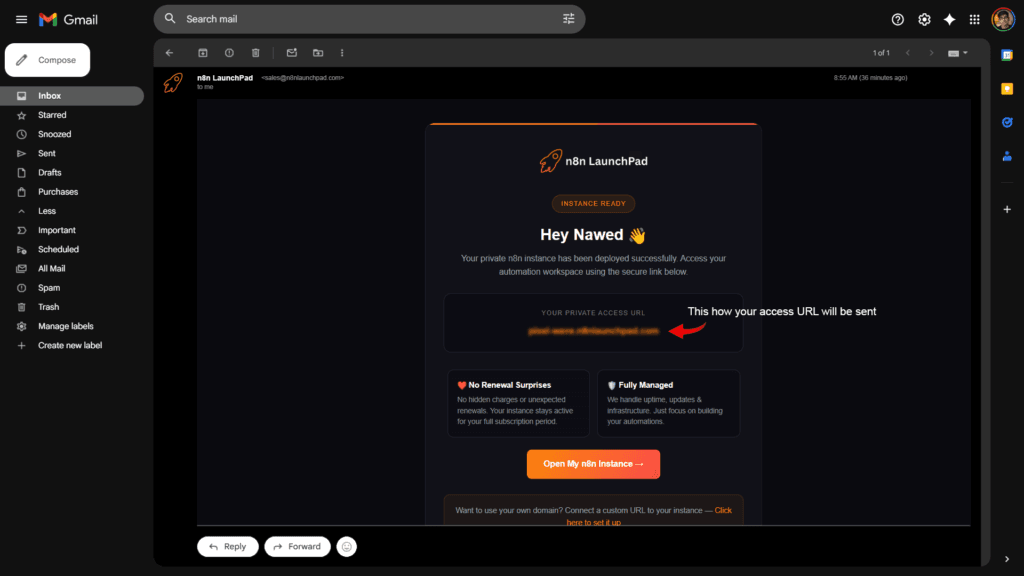
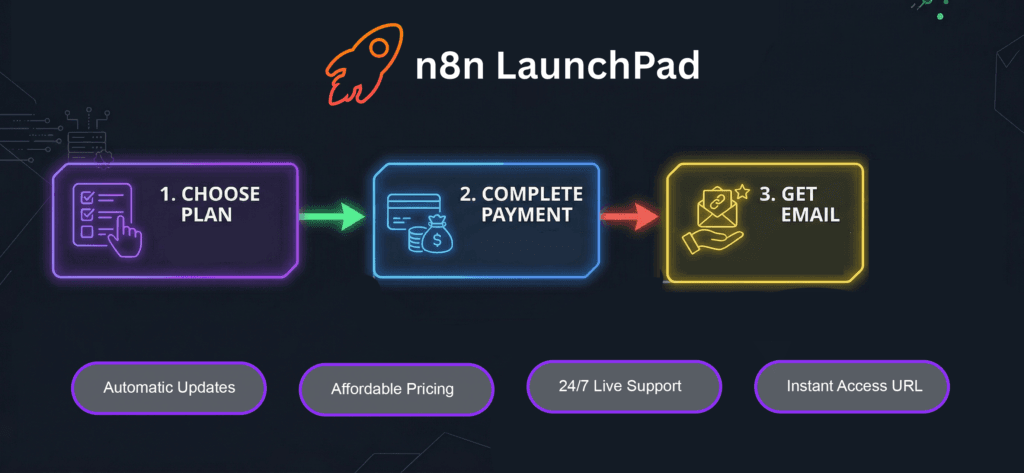
n8n LaunchPad is a managed hosting platform built specifically for people who want n8n without dealing with servers. You sign up, and your n8n instance lands in your inbox — a live URL, already running, already secured. No VPS. No Docker. No DNS configuration.
Built for the exact person this article is about: the freelancer managing client automations, the small business owner connecting their tools, the non-technical operator who knows what n8n can do but doesn’t want to learn Linux to use it.
What you skip entirely:
- VPS procurement and SSH configuration
- Docker and compose file setup
- Nginx reverse proxy and SSL configuration
- Domain DNS configuration
- Manual update management
- Backup configuration
If you’ve been sitting on the sidelines waiting until you “figure out the technical stuff” — you don’t need to wait anymore.
Frequently Asked Questions
Is managed n8n hosting secure?
Yes. Good providers handle SSL, firewall rules, and server hardening. In many cases it’s more secure than a self-hosted setup configured by a non-security expert.
Can I migrate my workflows if I switch later?
Yes. n8n lets you export workflows as JSON. Whether you move from self-hosting to managed or the other way around, your workflows travel with you.
What if I need a custom domain?
Most managed providers either include it or make it a straightforward add-on. Check with your specific provider before signing up.
Is managed hosting worth it on a tight budget?
Do the real math first. Calculate your hourly rate times the hours you’d spend on setup and maintenance. For most people, managed hosting pays for itself in time saved within the first month.
Can I use all of n8n’s features on managed hosting?
Yes. Same n8n, same nodes, same triggers, same credentials. Nothing is locked or restricted.
What happens if the provider has downtime?
Reputable providers have uptime SLAs and backup systems. Read their documentation before committing. With self-hosting, you’re entirely responsible for this yourself.
Ready to Stop Waiting and Start Automating?
If you’ve been putting off n8n because setup looked too technical — that barrier is gone.
n8n LaunchPad gives you a fully functional, production-ready n8n instance without a single command line. Your access URL arrives in your inbox. Your workflows are waiting to be built.
xxxx-xxxx.n8nlaunchpad.com
Secure your n8n instance now
Don’t let server configuration be the reason you’re still manually copying data between tools. You came to n8n to save time. Start there.