


If you’ve been building automations for more than five minutes, you’ve already heard the debate: n8n vs Make.com?
These two tools dominate the automation conversation right now, and for good reason — they’re both genuinely powerful, actively developed, and honestly? Neither one is the “obvious winner” for everyone. The answer depends entirely on what you’re building, how technical you are, and how much you care about things like data privacy, cost at scale, and AI agent support.
I’ve used both. A lot. And in this guide, I’m going to give you the honest breakdown that most comparison articles skip — including the pricing math that makes or breaks the decision, the AI capabilities that actually matter in 2026, and who should be using which tool.
No fluff. Let’s get into it.
Table of Contents
Quick Overview: What Are These Tools?
Before we get deep into comparisons, let’s quickly establish what each platform actually is at its core.
n8n is an open-source, fair-code workflow automation platform. It was built in Berlin by Jan Oberhauser and launched in 2019 with one mission: give developers and technical teams a powerful automation engine they could actually own. You can self-host it for free, run it on your own server, and have total control over your data, your workflows, and your infrastructure. It’s node-based, meaning you visually connect blocks (called “nodes”) to build automation flows.
As of 2026, n8n has crossed $40M in ARR and raised $254M at a $5.2 billion valuation — led by Accel with participation from Nvidia’s NVentures. It now serves over 230,000 active users and more than 3,000 enterprise customers including Vodafone, Mercedes, SoftBank, and SEAT. The GitHub repo has crossed 192,000 stars, making it one of the fastest-growing open-source automation tools ever.
Make.com (formerly Integromat, rebranded in 2022) is a cloud-based, visual-first automation platform with a very different approach. It’s entirely SaaS — there’s no self-hosting option — and it’s built around making automation accessible to non-technical users. Its circular, canvas-style scenario builder is genuinely beautiful to look at, and the onboarding experience is one of the smoothest in the automation space.
Make.com now offers 3,000+ native app integrations, an AI agent feature set it’s been aggressively building out since April 2025, and pricing that starts at $9+/month for its Make plan.
Both are legitimately great tools. But they’re built for different types of builders.

The Core Philosophy: Where They’re Coming From
This part matters more than most people realize. The philosophy behind each tool shapes every design decision they make — and that shapes whether or not it fits the way you work.
n8n’s philosophy: You should own your automation stack.
n8n is built around the idea that your workflow logic, your data, and your credentials shouldn’t live on someone else’s server unless you want them to. It’s open-source at its core (with a fair-code license that’s free for personal and internal business use). The self-hosted version gives you literally unlimited workflow executions, access to every integration in the catalog, and the ability to install community-built nodes that extend the platform in ways the official team hasn’t even thought of yet.
The tradeoff? You’re responsible for the infrastructure. Setting up Docker, managing server updates, handling uptime — that’s on you. For developers, that’s not a problem. For non-technical users, that’s the sticking point.
Make.com’s philosophy: Automation should be accessible to everyone.
Make.com isn’t trying to win on raw power or flexibility. It’s trying to win on ease. Their bet is that most automation users — marketing teams, small businesses, freelancers — don’t want to manage a server. They want to log in, build a workflow in 15 minutes, and move on. Make’s beautiful visual builder, intuitive module system, and massive pre-built integration library are all in service of that goal.
The tradeoff? You’re on their infrastructure, on their pricing model, and on their timeline for new integrations. Make.com cannot be self-hosted — period. Your workflow data, execution history, and credentials all live on Make’s servers.
Neither philosophy is wrong. But you need to be honest with yourself about which one fits your situation.
Interface & Ease of Use
Let’s be direct here: Make.com has the better beginner experience. n8n has the better power-user experience.
Make.com’s UI is genuinely one of the best in the automation space. The canvas-based scenario builder is satisfying to use — you drop modules into a circular flow, connect them with lines, and the logic reads almost like a flowchart. The module configuration panels are clean, everything is labeled in plain language, and the error messages are actually helpful. A complete non-technical person can build a real working automation in Make.com within an hour.
n8n’s UI is more of a node-graph editor — similar to how tools like Blender or Logic Pro work if you’ve used those. You drag nodes onto a canvas and wire them together left to right. It’s extremely powerful once you know what you’re doing, but the first session with n8n can feel overwhelming. There are more settings exposed per node, more ways to pass data between steps, and more flexibility in how you structure your logic.
That said, n8n has made significant UX improvements in its 2.0 release (launched December 2025). The new AI-assisted workflow builder lets you describe what you want to build in plain English, and n8n generates a starting workflow automatically. That closes the gap considerably.
Learning curve comparison:
| Modules | Make.com | n8n |
|---|---|---|
| First automation | 30–60 min | 1–3 hours |
| First complex workflow | Few hours | Full day |
| Custom logic / code | Limited | Full JS + Python |
| AI-assisted building | Yes (Maia) | Yes (n8n AI builder) |
If you’re completely new to automation and need to get something working this week, Make.com is the faster starting point. If you’re willing to invest a few days upfront and want a tool that scales with you indefinitely, n8n pays off.
Integrations & Connectivity
This is where the numbers get interesting.
Make.com officially lists 3,000+ app integrations. This is a genuinely massive library, and it covers virtually every mainstream SaaS tool you’ll encounter — Salesforce, HubSpot, Shopify, Airtable, Notion, Slack, Gmail, Google Sheets, you name it. If you’re working primarily with popular business tools, Make.com probably has a pre-built module for it.
n8n officially lists 1800+ native integrations. On the surface, that sounds like a loss. But here’s the thing most comparison articles gloss over: n8n has an HTTP Request node that lets you connect to literally any API with authentication, custom headers, and full data control — no custom node required. On top of that, the n8n community node library has grown significantly and adds hundreds of additional integrations built by the community.
So the real comparison isn’t “3,000 vs 1800.” It’s “3,000 pre-built modules with easy setup vs 1800 native nodes + unlimited custom API access + hundreds of community nodes.”
For the average use case — connecting Google Sheets to Slack, or Stripe to Notion — both platforms work fine. The gap only shows up when you need to integrate niche tools, internal APIs, or proprietary systems. That’s where n8n’s extensibility becomes a decisive advantage. You can build a custom node, share it with the community, and reuse it across every automation you build. In Make.com, if an integration doesn’t exist natively, you’re working around it with webhooks, and it’s rarely clean.
One more thing worth noting: n8n allows you to install community nodes on self-hosted instances. n8n Cloud, however, does not allow community node installation for security reasons. If community nodes matter to your workflow, self-hosted n8n is the only path.
Pricing — The Section That Actually Matters
Here’s where we need to slow down, because this is where most people make the wrong decision. The headline numbers don’t tell the whole story — the pricing models are completely different, and that difference compounds dramatically at scale.
How n8n Charges You
n8n uses execution-based pricing on its cloud plans. One execution = one complete workflow run, regardless of how many steps (nodes) the workflow passes through.
A 20-step workflow that runs 1,000 times = 1,000 executions. That’s it.
n8n Cloud Plans (2025–2026):
| Plan | Price | Executions/mo |
|---|---|---|
| Starter | €24/mo (~$26) | 2,500 |
| Pro | €60/mo (~$65) | 10,000 |
| Business (Self-Hosted) | €800/mo | Unlimited |
| Enterprise | Custom | Custom |
| Community Edition (Self-Hosted) | FREE | Unlimited |
The Community Edition is completely free software. You pay nothing to n8n — only your server hosting costs, which typically run $5–$15/month for a solid VPS.
How Make.com Charges You
Make.com now uses a credit-based pricing model (they switched from “operations” to “credits” in August 2025). Each module step that processes data consumes one credit. More complex features — like AI tools or code execution — can consume multiple credits.
A 10-step scenario running 1,000 times = 10,000 credits consumed. Every step, every run.
Make.com Plans (2026):
| Plan | Price | Credits/mo | Scenarios |
|---|---|---|---|
| Free | $0 | 1,000 | 2 active |
| Make plan | $9+/mo | 10,000 | Unlimited |
| Enterprise | Custom | Custom | Unlimited |
Note: Make runs on a per-step credit model. Polling triggers (checking for new data every few minutes) also consume credits — even when nothing changes.
The Real Cost Math — Let’s Run the Numbers
Here’s a practical example that shows how differently these tools scale.
Scenario: You run a lead enrichment workflow with 8 steps, 5,000 times per month.
| Platform | Calculation | Monthly Cost |
|---|---|---|
| Make.com Core | 5,000 × 8 steps = 40,000 credits (4× over Core limit) | ~$50+ |
| n8n Cloud Starter | 5,000 executions (2× over limit) | ~$60 |
| n8n Self-Hosted | Unlimited executions, $5–$15 server | $5–$15 |
Or consider a more extreme real-world example someone shared on Reddit: a freelancer running just five common automations — Gmail polling every 10 minutes, Slack message checks every 5 minutes, two Airtable syncs every 15 minutes — generates over 18,000 executions per month. On n8n Cloud, that pushes you to the Business plan. On n8n self-hosted? The same five workflows run unlimited for the cost of a cheap VPS.
The bottom line on pricing:
- For simple, low-volume workflows: Make.com Core at $9/month is a fair deal
- For moderate to high volume: n8n self-hosted obliterates everything on cost
- At scale, n8n can cost 10x+ less than Make.com for complex multi-step workflows
Make’s credit model can burn through your quota faster than you expect — especially if you’re using polling triggers or multi-step scenarios. Always build a sample workflow and measure your real credit consumption before committing to an annual plan.
AI & Agent Capabilities in 2025–2026
This might be the most important section of this article right now, because AI is the reason the automation landscape shifted dramatically in 2024–2025 — and both platforms took very different approaches to it.
n8n’s AI Approach: Developer-First, Deep Integration
n8n 2.0, which launched in December 2025, went all-in on AI-native automation. The platform now ships with 70+ dedicated AI nodes and has native LangChain support built directly into the workflow engine. This isn’t just “plug in ChatGPT and call it a day” — it’s a full agentic architecture.
What that means practically:
- You can build AI agents that use tools (search the web, query a database, send a Slack message, call an API) — all decided autonomously by the AI based on the input it receives
- Persistent memory across executions — so your agent actually remembers previous interactions
- RAG (Retrieval-Augmented Generation) workflows with vector database integrations — for building AI that searches your own documents
- Human-in-the-loop patterns — where the AI pauses and asks for human confirmation before taking a sensitive action
- Sandboxed JavaScript and Python execution — so your code runs securely inside the workflow
- An AI-assisted workflow builder that generates full workflow structures from a text description
If you’re building AI agents for sales outreach, customer support, content generation pipelines, or internal knowledge bases — n8n in 2025 is in a completely different league than anything else in the automation space for the price.
Make.com’s AI Approach: Visual-First, Accessible Agents
Make.com has been catching up fast. In April 2025, they introduced AI Agents natively into the platform — autonomous agents you can configure through their visual interface without touching code. You give the agent context (by uploading files), define its tools, and it makes decisions within a scenario.
Make Grid, their visual multi-agent orchestration feature, lets you see and manage complex multi-agent landscapes in a visual map format — which is genuinely impressive for non-technical users.
Make also has an AI assistant called Maia that can help you build scenarios from natural language instructions, and built-in AI tools for text categorization, language detection, summarization, and document extraction — all within their standard credit system.
Where Make’s AI falls short: building anything that requires custom logic in your AI pipeline (like a specific memory architecture, or a custom RAG retrieval strategy) requires significant workarounds. n8n lets you do it natively. Make’s approach is “here are the guardrails — stay in them.” n8n’s approach is “here’s the engine room — build whatever you need.”
AI capabilities summary:
| Modules | n8n | Make.com |
|---|---|---|
| Native AI nodes | 70+ | Limited |
| LangChain support | Native (2.0) | No |
| RAG / vector DB | Yes | Workaround only |
| AI agent building | Advanced | Visual, simplified |
| Custom AI logic | Full (JS/Python) | Very limited |
| AI-assisted builder | Yes | Yes (Maia) |
| Best for | Dev-heavy AI pipelines | Business user AI tasks |
Data Privacy, Security & Self-Hosting
This section is a dealbreaker for some users and a non-issue for others. Know which one you are before you commit to a platform.
Make.com is cloud-only. Your workflows, your credentials, your execution history — all of it lives on Make’s servers, in their chosen data regions. There is no way to run Make on your own infrastructure. None. If you’re operating in a regulated industry (healthcare, finance, legal) or if you’re handling sensitive customer data, this is a real compliance risk that you need to evaluate carefully. You’re also subject to Make’s uptime and data retention policies.
n8n gives you full control. Self-hosted n8n means your data never leaves your own servers. You decide the cloud provider, the country, the security policies, the encryption. If you need to be GDPR-compliant, HIPAA-aware, or just want to keep client data off third-party infrastructure, n8n is the only viable option between the two.
n8n Cloud (their managed service) does process data on n8n’s infrastructure, so it sits in the same category as Make.com for data residency purposes. But the fact that self-hosting is an option at all gives n8n a significant edge for privacy-conscious users.
For enterprise teams and agencies dealing with client data, this isn’t just a preference — it’s often a contract requirement.
Community, Templates & Support
n8n’s community is one of its biggest underappreciated assets. With over 45,000 GitHub stars and an active forum of 40,000+ members, there’s a massive library of shared workflows, community nodes, and troubleshooting discussions available for free. The n8n community on Reddit, Discord, and their own forums is genuinely helpful — the kind of community where someone who hit your exact error two months ago has already posted a working solution.
n8n also has a growing ecosystem of workflow templates directly in the app. Many are built by power users and agencies who are running real-world automations.
Make.com’s community is strong in a different way. Because it’s been around longer as a cloud product (Integromat launched in 2012), there’s more beginner-friendly content — YouTube tutorials, blog walkthroughs, and “how to automate X” guides specifically for Make.com are everywhere. The Make Academy is well-structured for people who are learning from scratch.
Support:
Make.com offers email support on paid plans and priority support on higher tiers. n8n offers community-based support for self-hosted users and dedicated support for cloud plans. For enterprise customers, n8n has dedicated account management.
If you’re a developer or technical user: n8n’s community ecosystem is better for solving complex problems. If you’re a beginner: Make.com has more structured learning materials.
Who Should Use n8n?
n8n is the right tool if:
- You need unlimited workflow executions without paying per-run fees
- You’re building complex, multi-step automations with branching logic
- You want to build AI agents with custom memory, RAG pipelines, or tool-use patterns
- You care about where your data lives (self-hosting is important to you)
- You want to connect internal APIs, custom services, or niche tools
- You’re running a SaaS, agency, or product where automation is core to how the business runs
- You’re comfortable with — or willing to learn — some basic server concepts
- You’re an automation freelancer or consultant building workflows for clients (self-hosted n8n on a $5–$10/month VPS beats every cloud tool on margins)
Who Should Use Make.com?
Make.com is the right tool if:
- You’re completely non-technical and need to get running fast
- Your automation needs are moderate and predictable (low-to-medium volume)
- You’re primarily connecting mainstream SaaS tools (Shopify, HubSpot, Google Sheets, Slack)
- You need collaborative team features with easy handoff between teammates
- You’re doing task automation for marketing, operations, or sales without needing custom logic
- Data residency isn’t a concern for your use case
- Budget is under $20–30/month and you won’t be running high-frequency polling triggers
The Third Option No One Talks About
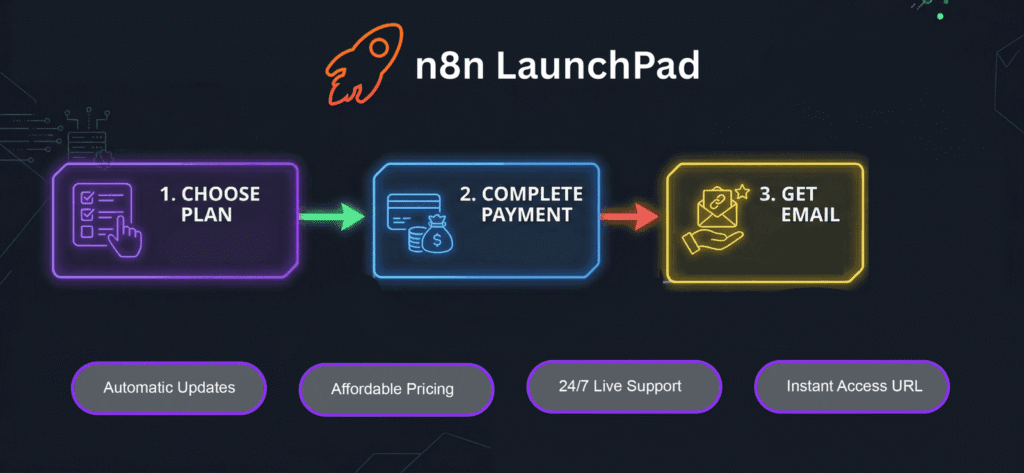
Here’s a conversation that comes up constantly in automation communities: “I want the power of n8n, but I don’t want to deal with server setup and maintenance.”
This is a real and legitimate frustration. Setting up a self-hosted n8n instance — getting Docker running, configuring the domain, managing updates, setting up SSL — is a few hours of work for someone who knows what they’re doing, and an entire weekend of stress for someone who doesn’t.
That’s exactly the gap that n8n LaunchPad was built to fill.
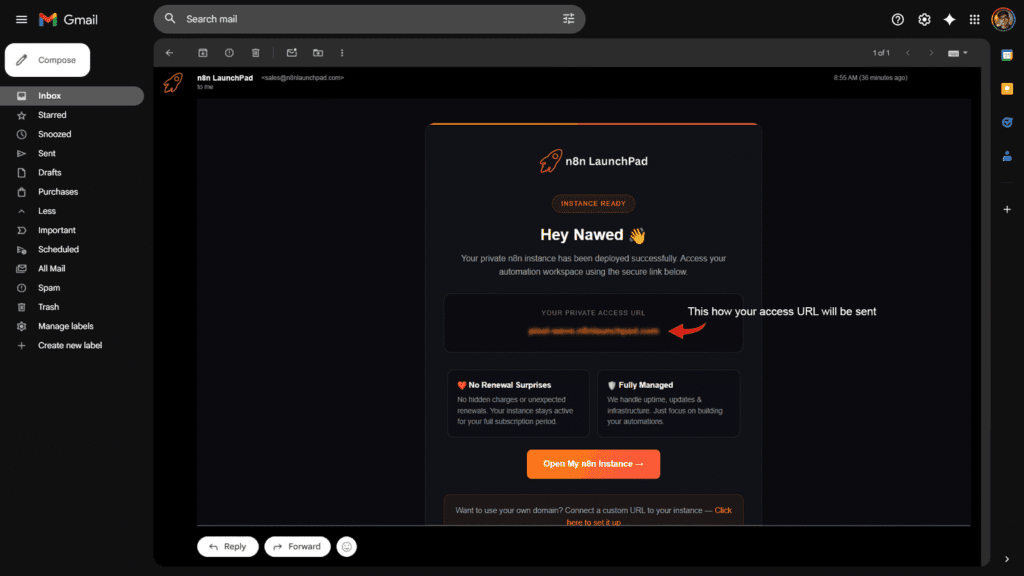
n8n LaunchPad gives you a pre-deployed, fully managed n8n instance starting at just $5–$7/month. The instance is already configured, the domain is set up, and updates are handled automatically. You log in and start building — just like you would with a cloud tool, except your data stays on your own infrastructure and you have unlimited workflow executions with no per-run fees.
Compared to n8n’s own cloud starter plan at €24/month (which caps you at 2,500 executions), n8n LaunchPad gives you more for a fraction of the price. Compared to Make.com’s credit model where complex workflows can push you to $40–60/month, the value difference is staggering.
It’s the best of both worlds: n8n’s open-source power and data control, with zero DevOps headaches and a monthly cost that won’t make you think twice.
→ Try n8n LaunchPad — Get Your Instance in Minutes
Frequently Asked Questions
Is n8n really free?
Yes — the self-hosted Community Edition is completely free software with unlimited executions. You pay nothing to n8n for the software itself. The only cost is your server hosting, which can be as low as $3–7/month on a budget VPS. n8n Cloud (their managed service) is not free — it starts at €24/month and no longer offers a permanent free tier (only a 14-day trial).
Can Make.com be self-hosted?
No. Make.com is a cloud-only platform and cannot be self-hosted. All your workflow data, execution history, and credentials are stored on Make’s infrastructure. There is no self-hosted version, no Docker image, and no enterprise option that changes this. If data residency or infrastructure control matters to you, Make.com is not the right tool.
How is n8n’s execution-based pricing different from Make.com’s credit system?
In n8n, one complete workflow run = one execution, regardless of how many nodes it passes through. A 20-step workflow running 1,000 times = 1,000 executions.
In Make.com, every individual module step = one credit. A 20-step scenario running 1,000 times = 20,000 credits consumed. For complex, multi-step workflows, this makes Make.com significantly more expensive than n8n at comparable volumes.
Which tool is better for AI automation and building AI agents?
n8n is currently the stronger platform for AI agent development. With 70+ dedicated AI nodes, native LangChain integration, support for RAG (retrieval-augmented generation) pipelines, persistent agent memory, and full code execution in JavaScript and Python, n8n 2.0 is built for serious AI-native workflows. Make.com introduced visual AI Agents in April 2025 and is a good option for non-technical users who want simple AI automation — but it doesn’t match n8n’s depth for custom AI pipelines.
Is Make.com worth it for small businesses?
It depends on your workflow complexity and volume. Make.com’s Core plan at $9–12/month is a reasonable starting point for simple, low-volume automations with mainstream tools. But its credit-based billing model can escalate quickly — especially with polling triggers or multi-step scenarios. If you’re running more than 5–10 active scenarios with moderate frequency, it’s worth calculating your expected credit consumption before committing. Many small businesses find n8n self-hosted is dramatically cheaper once they pass a modest usage threshold.
What happens when I hit my limits on Make.com or n8n Cloud?
On Make.com, when you exhaust your monthly credits, your active scenarios stop running until the next billing cycle — unless you purchase additional credit packs. This can cause missed workflows and business disruption if not monitored.
On n8n Cloud, workflows exceeding your execution limit are also paused or throttled depending on the plan. n8n does offer the option to upgrade mid-cycle.
On n8n self-hosted, there are no execution limits at all. Your workflows run as many times as needed.
Which tool is better for agencies building client automations?
n8n, by a significant margin. Self-hosted n8n gives agencies the ability to run unlimited client workflows on a single instance (or dedicated instances per client) at a VPS cost of $5–$15/month. There’s no per-execution billing, no workflow limits on self-hosted instances, and full control over client data. For agencies that bill clients separately for automation work, the margin difference between n8n self-hosted and any cloud platform is substantial. Make.com’s team plans are collaborative but scale linearly with usage, making them expensive for agencies managing high workflow volumes.
Does n8n have more integrations than Make.com?
In terms of raw native integrations, no — Make.com officially supports 3,000+ apps versus n8n’s 400+ native nodes. However, n8n’s HTTP Request node lets you connect to any API without writing a custom integration, and the community node library adds hundreds more. For mainstream SaaS tools, both platforms cover the major players. For niche tools, internal APIs, or custom services, n8n’s extensibility is far superior. n8n also allows users to build and publish custom nodes to the community hub.
Can I switch from Make.com to n8n later?
Yes, but it’s not a one-click migration. Your Make.com scenarios will need to be rebuilt in n8n — the logic, triggers, and data mapping all need to be recreated manually (or with community templates as a starting point). The good news is that n8n’s workflow structure is well-documented, and most Make.com scenarios can be rebuilt in n8n with equivalent or better functionality. Many users find the switch pays off quickly given the cost savings and additional capabilities.
What’s the easiest way to get started with n8n without technical setup?
Use a managed n8n hosting platform. Tools like n8n LaunchPad give you a pre-configured, ready-to-use n8n instance at $6–$8/month — no Docker, no terminal, no server management required. You log in and start building immediately, with unlimited executions and full ownership of your data. It’s the fastest way to experience n8n’s power without the self-hosting learning curve.
Final Verdict
Here’s the honest answer: there is no universally “better” tool between n8n and Make.com. There is only the right tool for your specific situation.
Choose Make.com if you need to move fast, you’re non-technical, your automation volume is low-to-moderate, and you’re connecting mainstream SaaS tools. The $9–12/month Core plan is genuinely useful for getting started.
Choose n8n if you care about cost at scale, data privacy, AI agent capabilities, or building automation infrastructure that grows with your business. Self-hosted n8n is the most cost-effective automation platform that exists, period.
Choose n8n LaunchPad if you want n8n’s power without the server management headache. Pre-deployed, managed, unlimited executions, starting at $6–$8/month. The sweet spot between raw self-hosting and expensive cloud plans.
The automation space in 2026 is moving fast — AI agents, LLM integrations, and increasingly complex workflows are becoming the norm, not the exception. The tool you choose today should be the tool that can still keep up with you two years from now.
For most serious automation builders, that tool is n8n.
This comparison was last updated in June 2025. Pricing and features are subject to change — always verify current details on n8n.io and Make.com before committing to a plan.